The Real Cost of Design Software for a Sole Practitioner
Work out what design software will cost you over a year: the licence, extra purchases and your time. A dollar example shows when paying more can make sense.
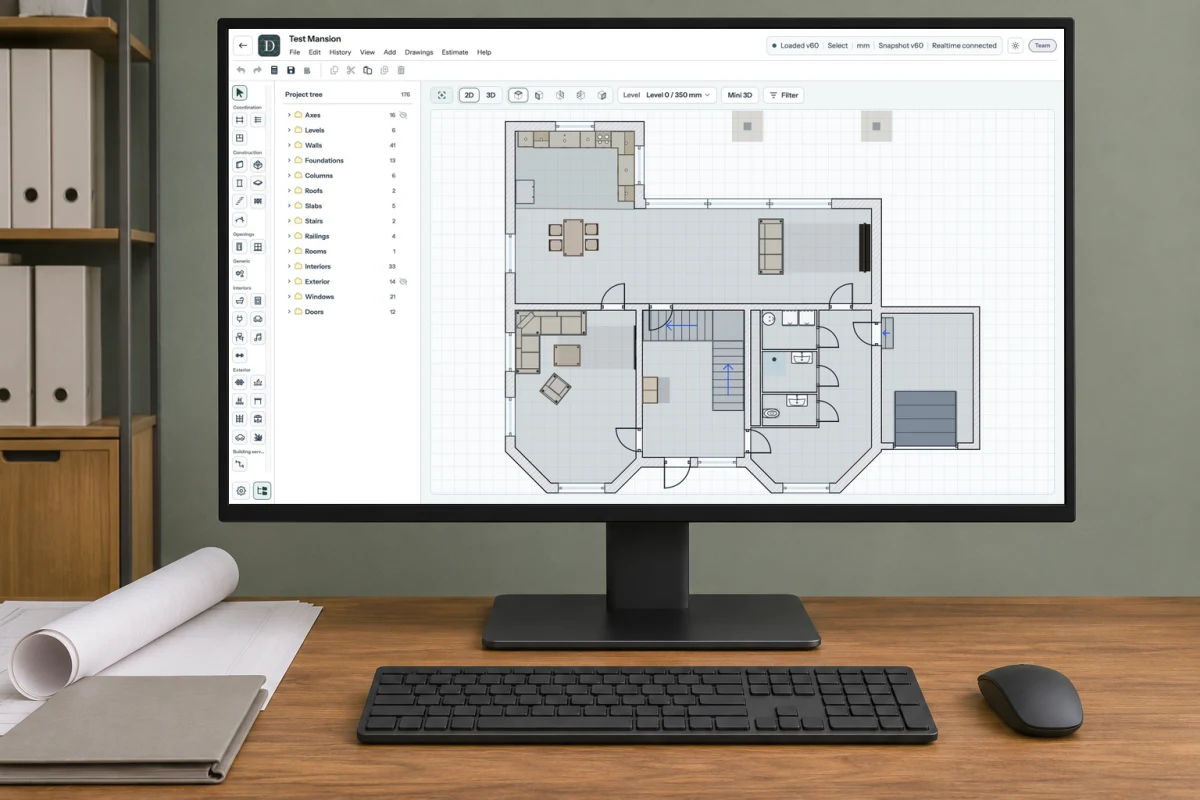
A design workspace with a real Dravit screenshot showing a 2D floor plan. The surrounding scene is AI-generated.
When you work on your own, software costs you both money and time. You pay for the licence, learn the program and prepare files for clients. A lower subscription price can lose its appeal if you spend an extra hour fixing every set of drawings before sending it. A more expensive program only earns its keep if you use what it offers.
To compare two options, work out what each would cost over a year and how many hours it would take to learn, set up and use for the same tasks. Start with work you actually do.
Try a familiar project before buying
Take a small project similar to your usual commissions. Make a change, prepare the drawings and export them in the format your client needs. Open the exported files and check dimensions, text and page layout. If a colleague needs editable files, ask them to try opening and editing a sample.
Do this on your own computer, with your usual internet connection if the software needs one. The trial should tell you whether you can finish the task and what else you would have to buy.
Add up the annual licence, essential add-ons, any extra software, training and hardware upgrades. Include storage, backup or support charges where they differ between the options. Check which features the subscription includes, whether it permits paid work and whether you can still open or export your projects after cancelling.
Measure learning time and recurring tasks separately
Learning commands and setting up drawing templates take time at the start. Exporting files, correcting formatting and checking the finished drawings happen every time you send a set to a client. Record both during the trial. Your experience matters too: a program you already know may need much less preparation.
For the example below, one “set” means the drawings prepared for one submission to a client. A project may involve several submissions as it develops. We count learning and setup time, then the extra work needed to format, export and check each set. The design work itself is assumed to take the same time in both options and is left out of this comparison.
Use two real annual list prices for drafting software: $299 and $599, checked on 3 November 2026. These are US-dollar prices before temporary discounts, not Dravit prices. The final amount at checkout may differ with your region, taxes and available offers.
The hours below are assumptions to show how to calculate the cost, not measured working times for the software sold at those prices. Suppose both options produce the files you need on your existing computer, with no additional purchases:
Option A: $299 a year, 5 hours to learn and set up, then 1 hour to prepare each set of drawings for the client.
Option B: $599 a year, 10 hours to learn and set up, then 15 minutes to prepare each set.
For 20 sets, A takes 5 + 20 × 1 = 25 hours. B takes 10 + 20 × 0.25 = 15 hours. In this example, B needs more preparation at the start but saves 10 hours over the year.
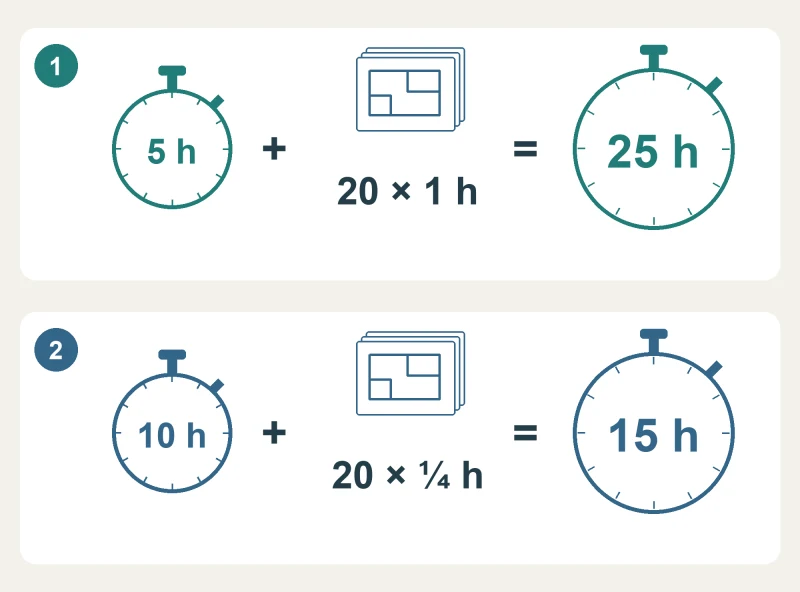
Learning, setup and file preparation for 20 sets of drawings. 1 = option A; 2 = option B. Example times; design work is excluded.
Put a value on those hours
Choose what an hour of your time is worth for this comparison. As a reference, the U.S. Bureau of Labor Statistics reported a median wage of $47.73 an hour for architects in May 2025; we round it to $48 an hour. That figure covers employed architects, excluding landscape and naval architects. It is neither a freelance fee nor the full cost of running a practice. Use a value suited to your own work when repeating the calculation.
Multiply the hours by $48 and add the annual licence:
20 sets, option A: $299 + 25 × $48 = $1,499.
20 sets, option B: $599 + 15 × $48 = $1,319.
B comes out $180 lower when your time is included. You still pay $300 more for its licence; the benefit is 10 hours freed for other work or time off.
With only 4 sets in the year, the result reverses. A takes 9 hours and comes to $731; B takes 11 hours and comes to $1,127. At 15 sets, both reach $1,259. From the 16th set, B is lower under these assumptions.
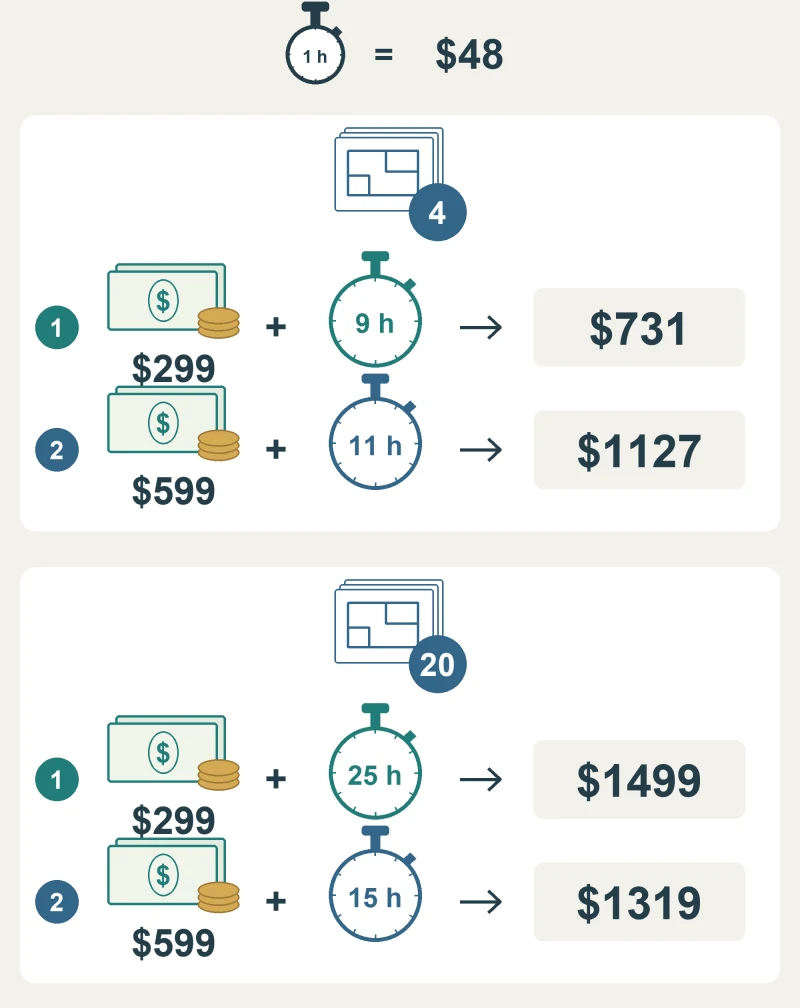
Annual licence plus your time at $48 an hour: 4 sets of drawings above, 20 below. 1 = option A; 2 = option B. All amounts are US dollars; the hours are illustrative.
Repeat this with your own trial times and two estimates of workload: a quiet year and a busy one. If a small change in hours reverses the result, try another typical task before paying for the year.
Check the payment dates and the second year
Write down when each bill is due. A subscription advertised as a monthly equivalent may require the full annual payment upfront. Add any computer purchase in the month you would pay for it. Use the same currency and tax basis for both options so that the totals are comparable.
Then calculate the second year. You may be able to reuse templates and need less learning time, while renewals and file preparation continue. Check the renewal price, especially if the first year includes a discount.
Keep the comparison on one page: annual payments, setup hours, time per set and the number of sets you expect to send. Choose a program that handles your actual work, fits your budget and saves time on tasks you do often. If you are also moving from separate drawings to a model, first try the change on one small project, through to the finished drawings.