Browser-Based BIM: Can Your Everyday Laptop Do the Job?
You can use a browser BIM editor for a small building project without assuming you need a dedicated workstation. But opening a model is only the first test. Before relying on your laptop, check that you can change the design, save and reopen it, and produce the material your next recipient actually needs. The answer depends on the application, the model and your working setup together.

Generated illustration: a compact laptop is part of the working setup for a small house-extension project. Its suitability still needs to be tested.
Imagine you work independently on a modest house extension. You want to adjust the garden-facing room during a client meeting, then continue at your desk. You already have a laptop. The useful question is whether that laptop can carry this particular job through its next issue—not whether a demonstration model looks smooth.
First establish whether you can edit
“BIM in a browser” can mean different things. A viewer may let you inspect a supplied model, measure it or discuss it. An authoring application lets you change the building itself. A remote desktop may display installed software through a browser while another computer does the work. Do not treat these as interchangeable.
For the extension, try an actual design operation: change a wall or opening, inspect the result in plan and 3D, and check the affected neighbouring elements. Being able to rotate the building does not prove you can make that change. Write down which parts of the job remain in another tool.
Dravit provides a browser editor with building elements and plan and 3D views. That makes it relevant to this trial. It does not establish a universal laptop specification or prove that every drawing, exchange format or specialist check required by your commission is covered.
Test the model you will work on
A small building is not necessarily a light model. Furniture, fittings, repeated objects and surrounding landscape can add detail far beyond the basic walls and roof. Browser graphics still use resources on your device; the word “cloud” does not mean that all the work happens elsewhere.
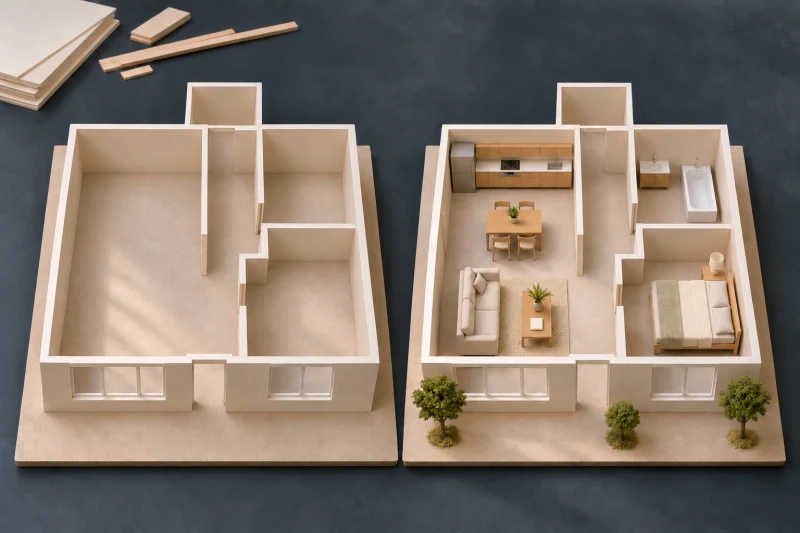
Illustrative models of the same layout, with different amounts of added detail. This shows a difference in content, not a measured performance result.
Start with the geometry needed to make the extension decision, then test the detail you genuinely expect to keep. Navigate, select a small object, change a property and inspect another view. Repeat with your ordinary reference documents and other necessary applications open. A clean demonstration with everything else closed may not resemble a working afternoon.
Notice where the difficulty appears. Slow initial opening, jerky movement and a delayed save are different symptoms. Do not assume that a faster connection fixes every one of them. Record the troublesome operation and model state before deciding whether to simplify the working view, change the setup or use another tool for that part of the work.
Give the laptop a usable working place
A portable computer can travel to a meeting; precise editing still needs a usable setup. Check whether you can read the controls and select the intended element without repeatedly hiding the information you need. Try the pointing device you actually use. Leave enough clear surface for its movement and for the reference drawing you must compare.
This is a practical test, not a rule that every designer needs an external monitor or mouse. A larger display may help you compare a plan with reference material, but it cannot add a missing modelling feature. Decide separately whether the software can do the task and whether your workspace lets you do it comfortably.
Confirm the saved result and the handoff
Make one recognisable trial change in a project you can safely edit. In Dravit, use Save, then reopen the project and confirm that the intended result is present. Do this before depending on a meeting connection. Do not assume offline editing or automatic recovery unless you have verified the exact application's behaviour.
See how to save and reopen a project in Dravit.
Then prepare the output needed for the extension's next discussion or issue. Open the resulting file separately. Check the intended view, dimensions, scale where relevant and whether the recipient can use it. A screenshot that communicates an idea is not the same deliverable as an editable model or a drawing prepared for an agreed issue. Verify the required format instead of inferring it from a successful browser session.
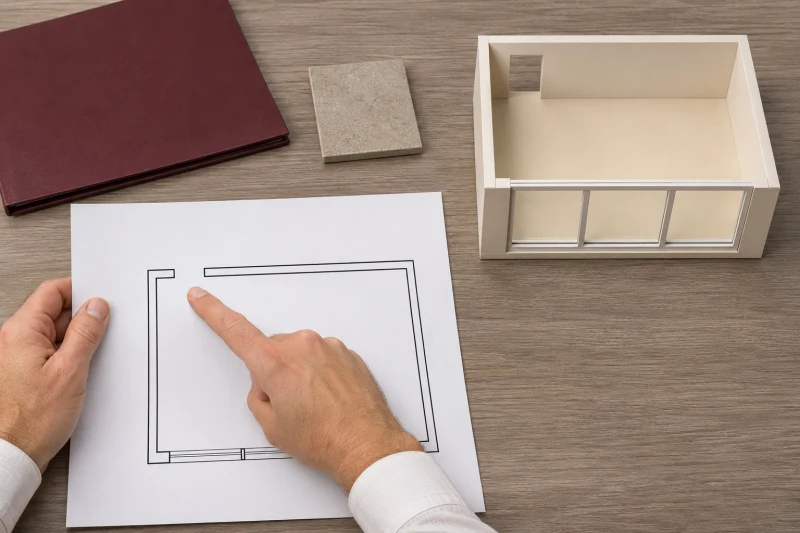
Generated illustration of a separate output check. These schematic model and drawing props are not a Dravit export or a construction drawing.
For a client meeting, keep an agreed fallback such as a previously checked drawing or view available in the form you can open there. That can keep a discussion moving; it does not make unsaved changes safe or turn the fallback into an editable project.
Make a decision about this job
Keep a short record: device and browser, representative model, operations tried, save-and-reopen result, required output and unresolved limitations. If these work in your normal setup, you have a reason to use the laptop for that scope. If an essential step fails, keep that step in a suitable tool or resolve the specific problem before committing.
You do not need to prove that one computer and one application can do everything. You need evidence that the next project decision and its checked output can get from your desk to the intended recipient without a gap.