
An Axis is a named plan reference. Vertical and horizontal Axes mark X and Y positions; an Axis can also run at another angle. Their intersections help coordinate building geometry. The dashed line is a reference, not a Wall or Foundation.
In Willow House, Axis 1 passes through the centre baseline of a bearing Wall and a strip Foundation. With Locked on Constructions enabled, moving that Axis shifts supported construction points on its line, including points on other Levels. The Wall and Foundation change; the Door and Windows follow their host Wall. Nearby objects without a supported point on the line do not move merely because they look close. With the switch disabled, only the Axis moves.
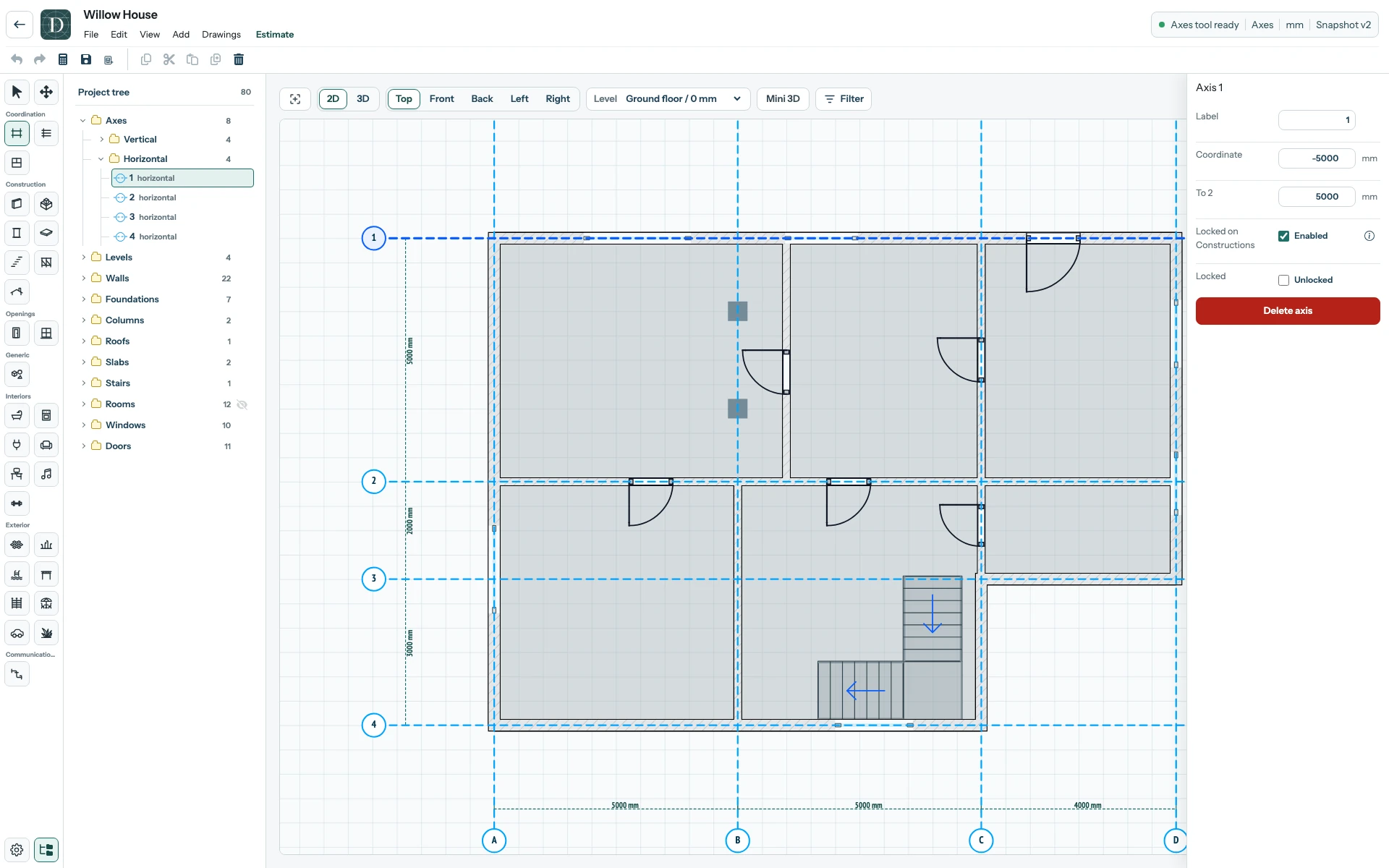
View the full-size Axis screenshot.
An Axis move can reshape a Wall if only one end lies on the line. A logical Room boundary does not automatically follow, so check the plan, openings, Rooms, drawings and quantities afterwards. See the before-and-after move, or edit an Axis. Snapping versus movement explains why simply placing a point near a line is a different action.