
Use a manual line for an identified cost that is missing from the measured rows. Use an allowance for a percentage added to the total. Check existing finished-element rates first so the same work is not counted twice.
Add or change a line
- Select Add a line.
- Fill the fields below, then select Add. The new row appears in its chosen Part with a by hand label.
- To revise it, select change, edit its fields and Save. Cancel abandons an edit. remove deletes the manual line from the estimate.
| Field | What to enter |
|---|---|
| What for | A clear description of the additional work or cost. |
| Part | The estimate section where the row belongs. |
| Buys | Material, Labour or Plant, according to the line's content. |
| Unit | nr for items, m for length, m2 for area, m3 for volume, kg or h. |
| Qty | The quantity in that unit. |
| Price | The rate per unit in the pricing currency; leave it empty if unknown. |
The demonstration's inspection line uses two hours at its own example rate. Choose values and a description that match your project. A manual line's In switch is disabled; remove the line when you no longer want it counted.
Set allowances
Select Allowances. Enter your own percentages for Contingency, Overhead, Profit, Delivery and Tax. Leaving a changed field saves it and updates the result.
They apply in that order, each after the previous addition. For example, 5% contingency takes a counted net amount of 400 to 420 before any later allowances. Setting an allowance to 0 removes that percentage addition.
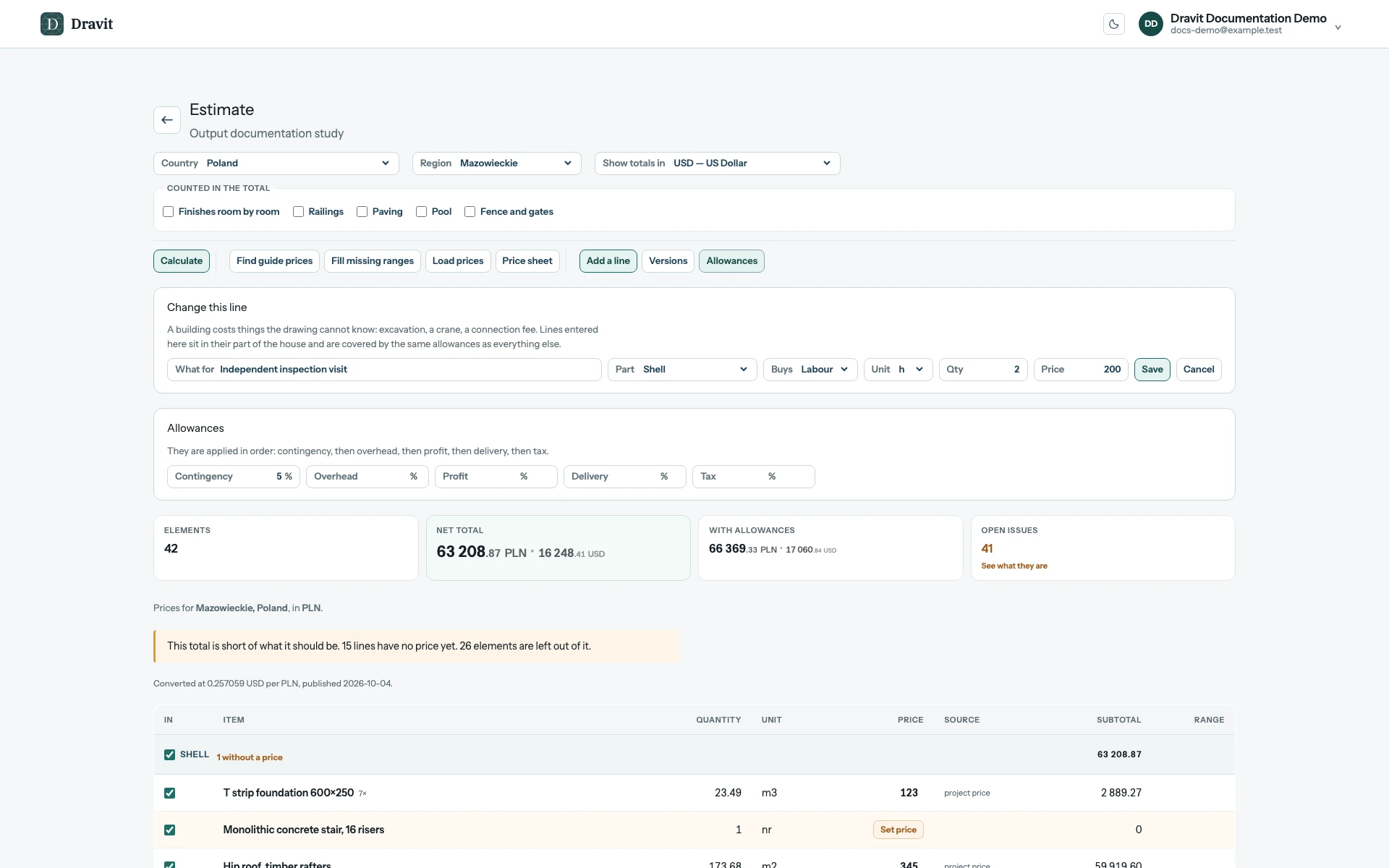
View the full-size adjustments workspace.
Allowances apply to counted priced work and manual lines. They do not price missing rows or resolve excluded geometry. Check Open issues and the resulting total after changes.