
A Project holds the saved model and its settings. In Willow House, the model has a Site with a Building and two storeys. Building elements belong to that model; a Door or Window is attached to its host Wall. This is about where an object belongs, not where its row appears in the sidebar.
Read the Project tree
The editor's Project tree groups objects by type so you can find them: Axes, Levels, Walls, Rooms and other categories. It does not draw the saved Site → Building relationships. A Wall listed under Walls can belong to a storey or a Room in the model; an opening still belongs to its Wall. Select an entry to inspect its settings. Hiding a category changes visibility in the workspace, not ownership or saved geometry.
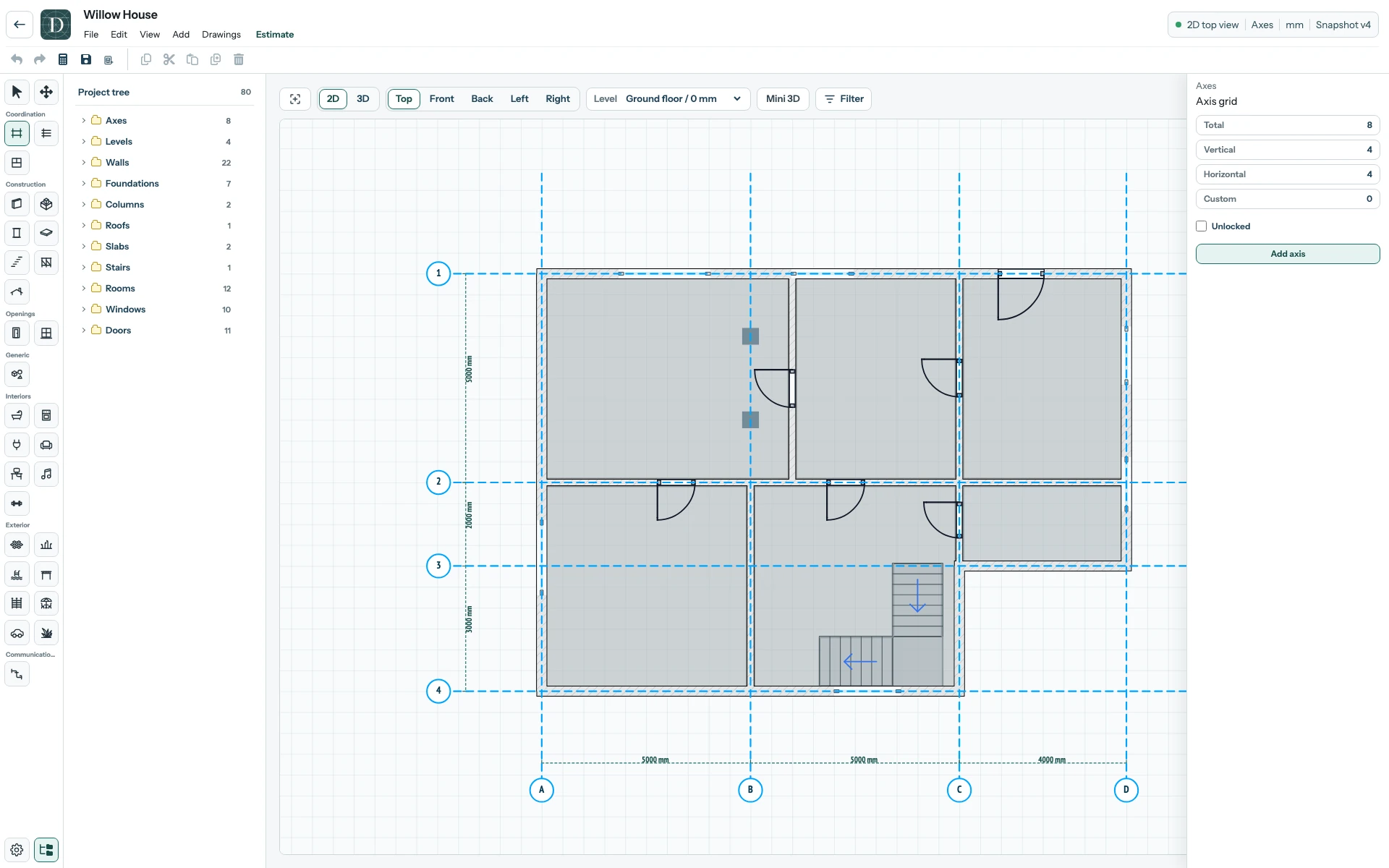
View the full-size Willow House editor.
Place an object at a height
A Level is a named elevation reference used when placing and viewing building elements. The active Level selector above the plan sets your working context; it is not a floor slab or a Site/Building folder. Set a first Level to see that distinction in the editor. Axes are separate coordination references. With Locked on Constructions enabled, moving an Axis shifts supported construction points on its line; nearby objects without such points do not follow. The Axis move example shows the difference. The editor tour shows where to find these controls.