
Open Add in the top menu or choose a tool from the left rail. To add a Wall, choose Add → Construction → Wall, set its available choices in the right panel and place it in Top 2D. Selecting a tool does not create an object until you complete its placement gesture. Many building tools use the active Level; some catalogs open a choice dialog first.
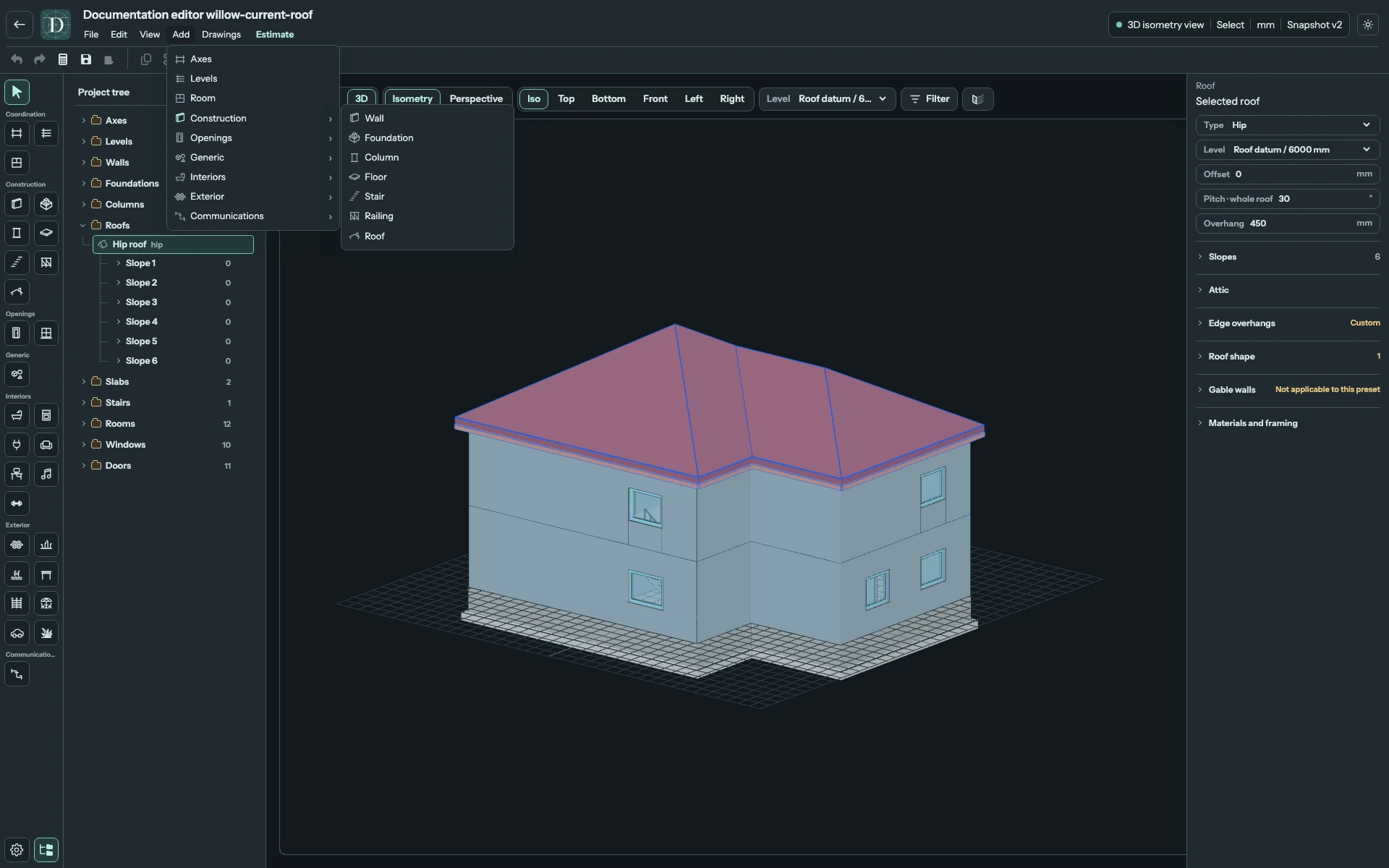
View the full-size Add menu screenshot.
To remove an object, choose Select, pick the intended item in the viewport or Project tree, and use Delete in the toolbar or Edit → Delete. Inspect what disappeared, including any dependent parts, before saving. Undo can restore an accidental local deletion while the edit remains in the current history. To delete the whole project, use the owner's Project settings → Deletion controls; see manage projects.
For a worked sequence, build a room, place a Door or place a Window.