
The owner uses Project settings → General to change the project's name, working length unit and location. Choose values for your own project; the documentation study's values are examples.
Current name limitation: Project name changes appear locally after Save settings, but saving the document retains the previous saved name. Reopening restores that name, even after Saved v…. The header rename control has the same limitation.
Open and save General settings
- Select Project settings at the bottom of the left tool rail, or choose File → Project settings and sharing….
- Open General. Edit Project name, choose Length unit, and set Country and Region if needed.
- Select Save settings. Check the header name and displayed dimensions, then select the editor's Save to persist the length unit in a project snapshot.
- Reopen the project and General settings to confirm the unit and location.
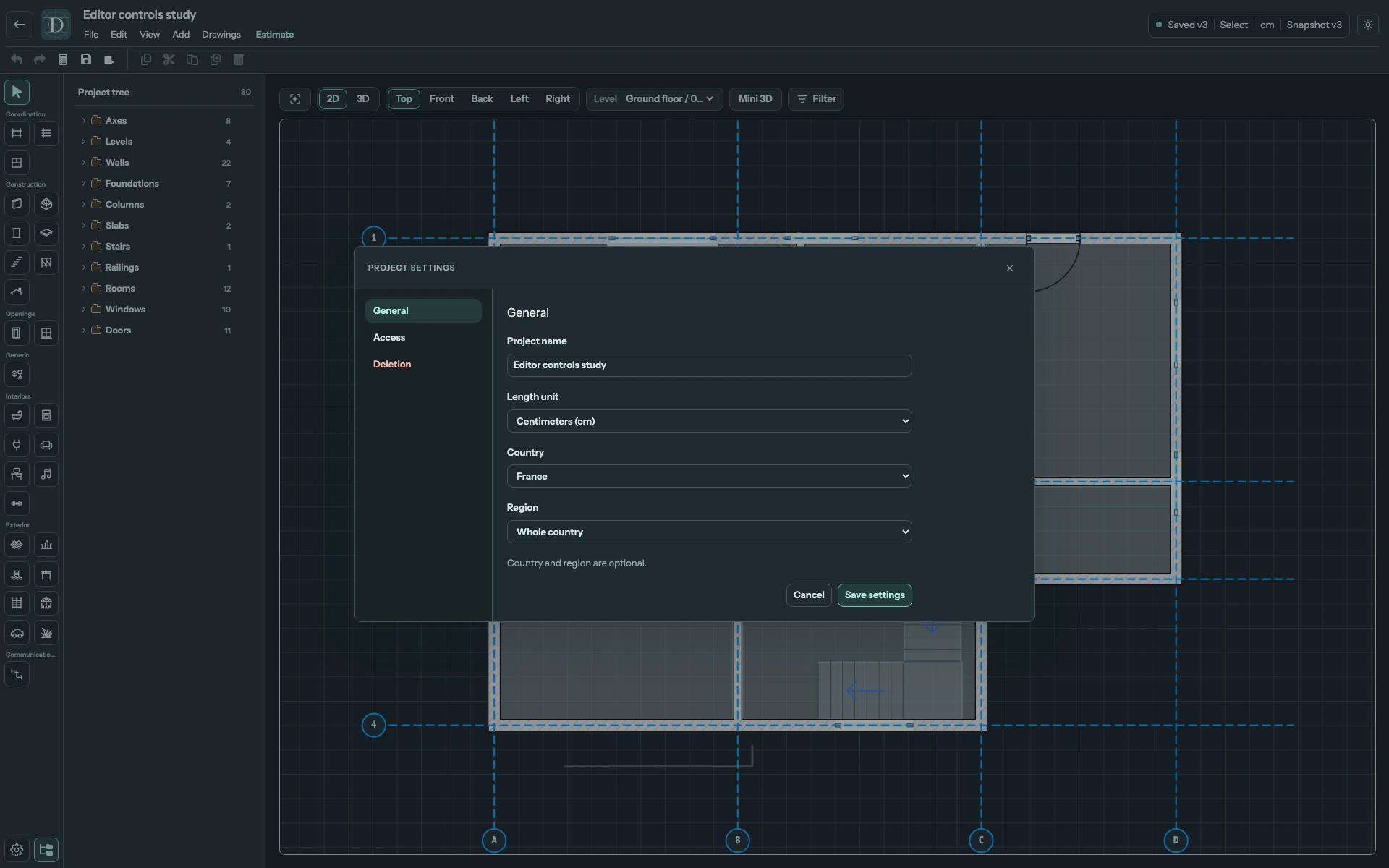
View the full-size settings screenshot.
Cancel or the close button abandons unapplied General edits. Participants see General as read-only; only the owner can change these settings.
Choose a length unit
Length unit offers Millimeters (mm), Centimeters (cm), Meters (m), Inches (in) and Feet (ft). It changes how lengths are displayed and entered throughout the editor. It does not rescale the model: a Wall's physical length remains the same after switching units.
Use a unit appropriate to the dimensions you enter, and read the current unit before typing a value. Area and volume quantities keep their own indicated units. Changing the length unit is not a currency change.
Set the project location
Country and Region are optional. Choose the project's actual location when you want regional estimate pricing. Selecting a different Country resets the Region choice. Where subdivisions are offered, choose the applicable Region or Whole country; Not specified leaves the choice unconfirmed.
Location is saved separately when you select Save settings. The length unit still requires the editor's Save; the name limitation above remains. A location change does not move the model or set coordinates. Estimate currency and price controls belong to the estimate workflow, rather than this General form.
Access and removal
Access contains participant and public-view settings. Owners manage access there; participants can inspect their own access. Sharing changes use their own confirmation actions. See sharing and access.
The final tab is Deletion for the owner and Leave project for a participant. These actions affect the whole project or your access, rather than a selected element. Find, rename and delete projects explains the exact confirmation and consequences.
For a quick local name edit, select the name in the editor header or use File → Rename project… and account for the persistence limitation above. That header control is also available to participants; General remains owner-only.