
A host is the model element that carries another element. In Dravit, a Door or Window is placed in a Wall. A Window follows its Wall when that host moves or changes shape; the opening can change position with it. The Project tree groups Doors and Windows for navigation, but their saved ownership remains with their hosts.
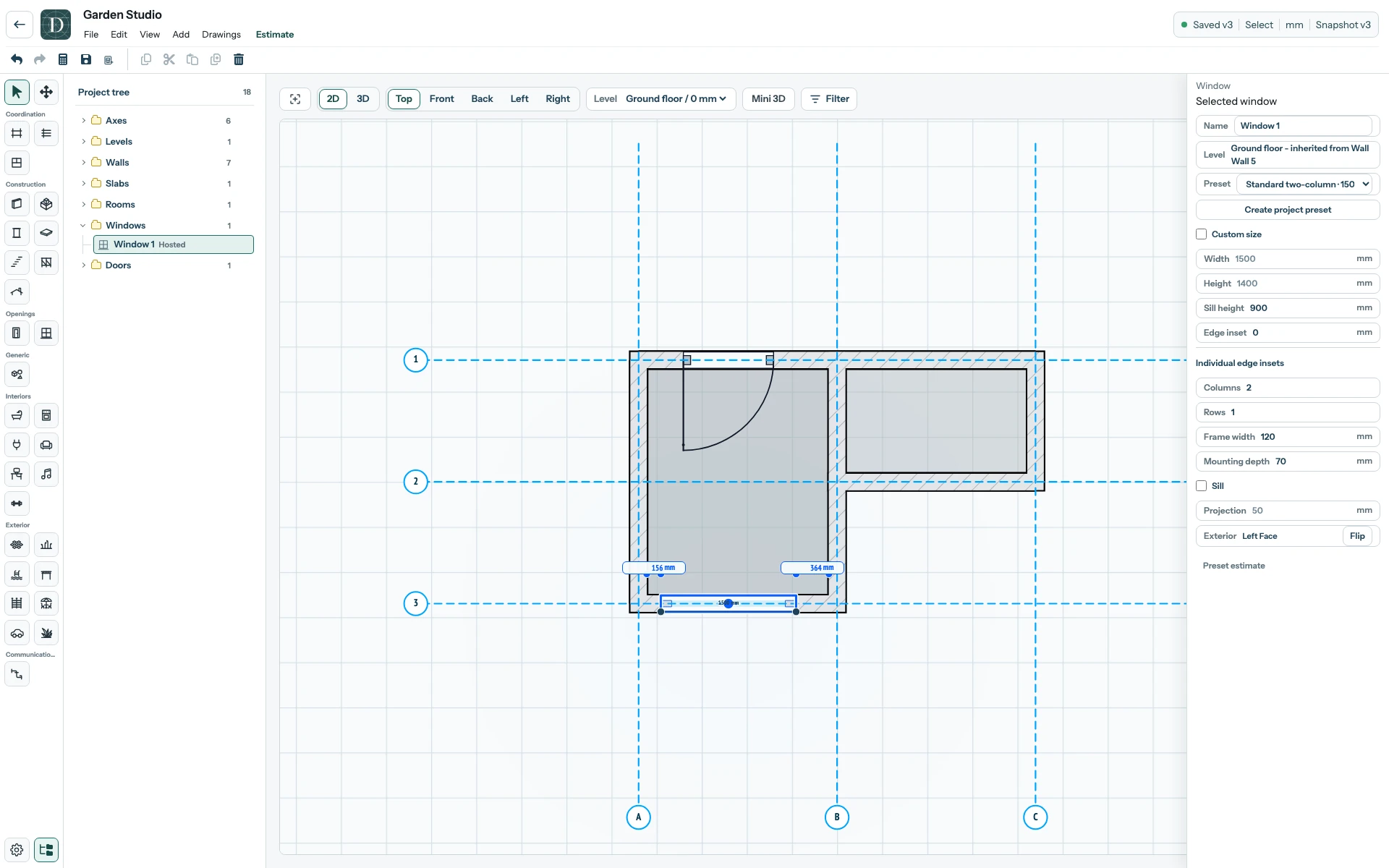
View the full-size hosted-openings screenshot.
Select an opening to inspect its own size and placement settings; select the Wall to inspect the host. If a Wall changes, check that each opening still gives the intended access, daylight or view. An Axis can move the Wall baseline, and the openings follow through that host relationship. A Room outline is a separate logical boundary and needs its own review after such a move.
Place a Door and place a Window show the workflow. The Axis move example shows a host and its openings moving together.