
Open public viewing when someone with a link should inspect the project's latest saved model. Only the owner can manage this access.
- Save the model you want visitors to see.
- Choose File → Project settings and sharing… → Access.
- Under Public link, select Open access. Wait for the state to change to Open and the viewing URL to appear.
- Select Copy link, then open that URL in another browser or a signed-out window. Check the project name and saved snapshot.
- Send the link through your chosen channel when the result is ready. Later model saves become visible through the same project link.
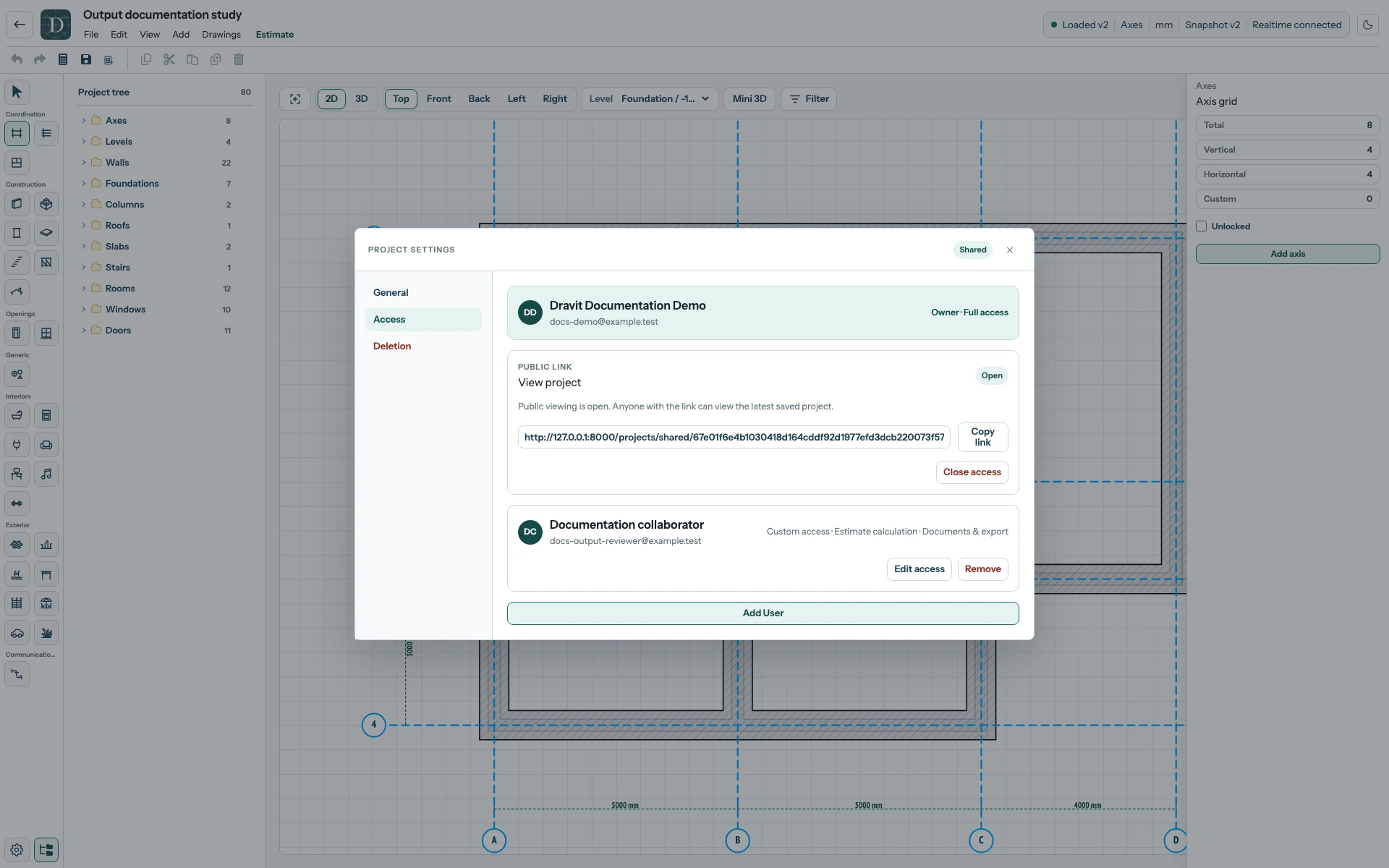
View the full-size public-access controls.
The public viewer can inspect the model in 2D and 3D and use its viewing controls. The viewer's Estimate button also exposes the stored financial summary: location, net and gross totals, price range, saved-model version and missing or unresolved counts. It can show Not calculated yet or an out-of-date status. Review that disclosure before sharing the project link; this panel does not expose the editable row-price table.
Public viewing does not grant editing permission. Add a registered account with member access when they need to work in the editor.
Close access makes this project link unavailable. See stop sharing for member removal and other access paths. A public project link shows changing saved content; use a separate estimate version link to preserve fixed cost figures.