
Use Interiors → Office to arrange a workstation with a desk, chair and storage. A Work desk includes its equipment as one assembly; an office chair is a separate object. Open shelving starts an open Wardrobe preset. The example compares a dual-monitor workstation with a laptop desk, using different chairs beside the same wall.
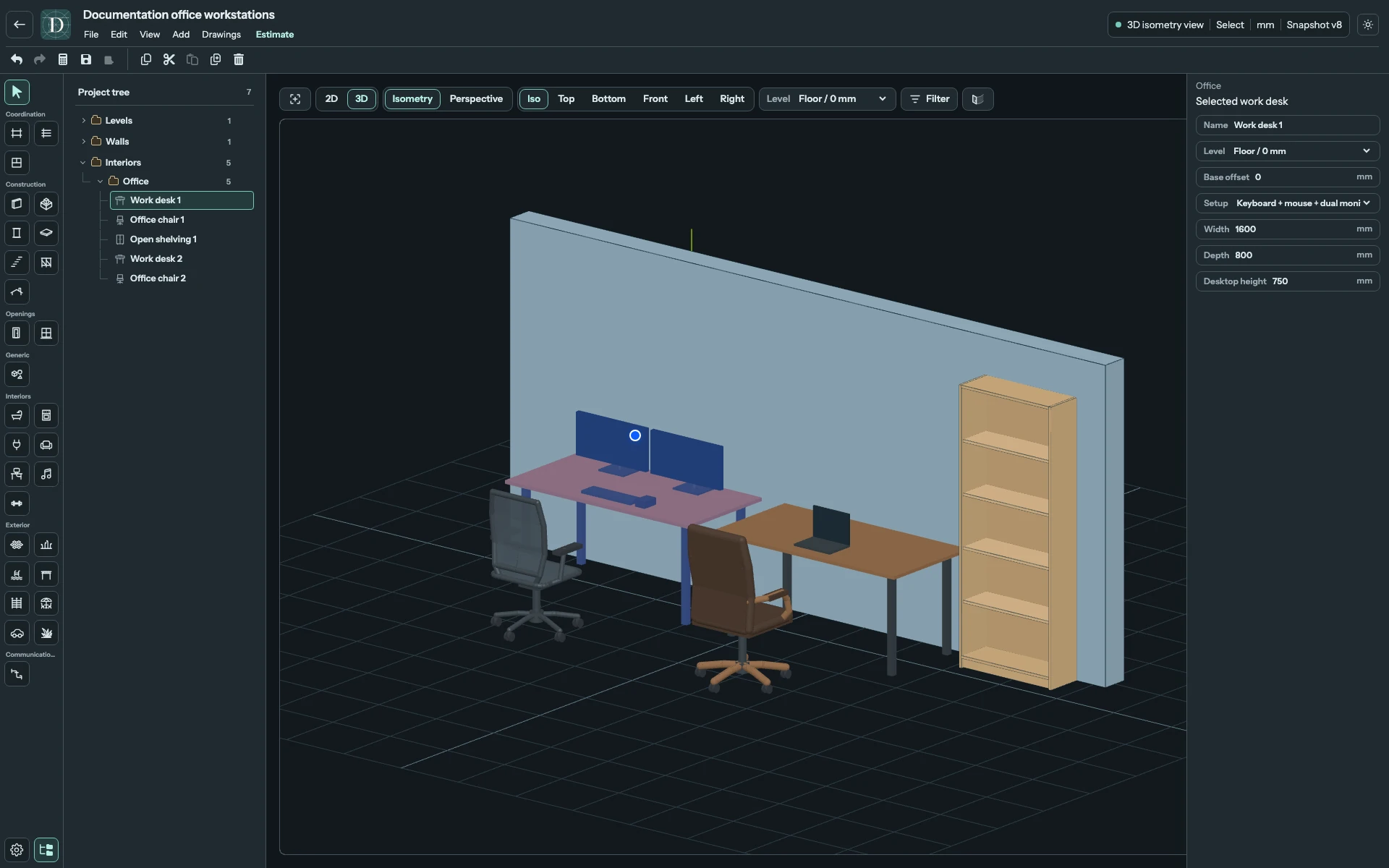
View the full-size screenshot.
Place and configure a workstation
- Choose 2D → Top and the working Level.
- Open Interiors → Office and choose Work desk, Ergonomic mesh chair, Executive leather/wood chair or Open shelving.
- Choose the setup or style and set dimensions in the right panel. Check Level and, for desks or office chairs, Base offset.
- Position the complete preview and click. Choose Select or press Escape when finished placing objects.
- Select an instance in the viewport or Project tree to edit it. Use Name, where shown, to distinguish the two workstations.
Desks, chairs and shelving use free placement. Use Top to line up the rear edge of a desk or shelf beside the Wall manually. An object's centre determines its optional same-Level Room association.
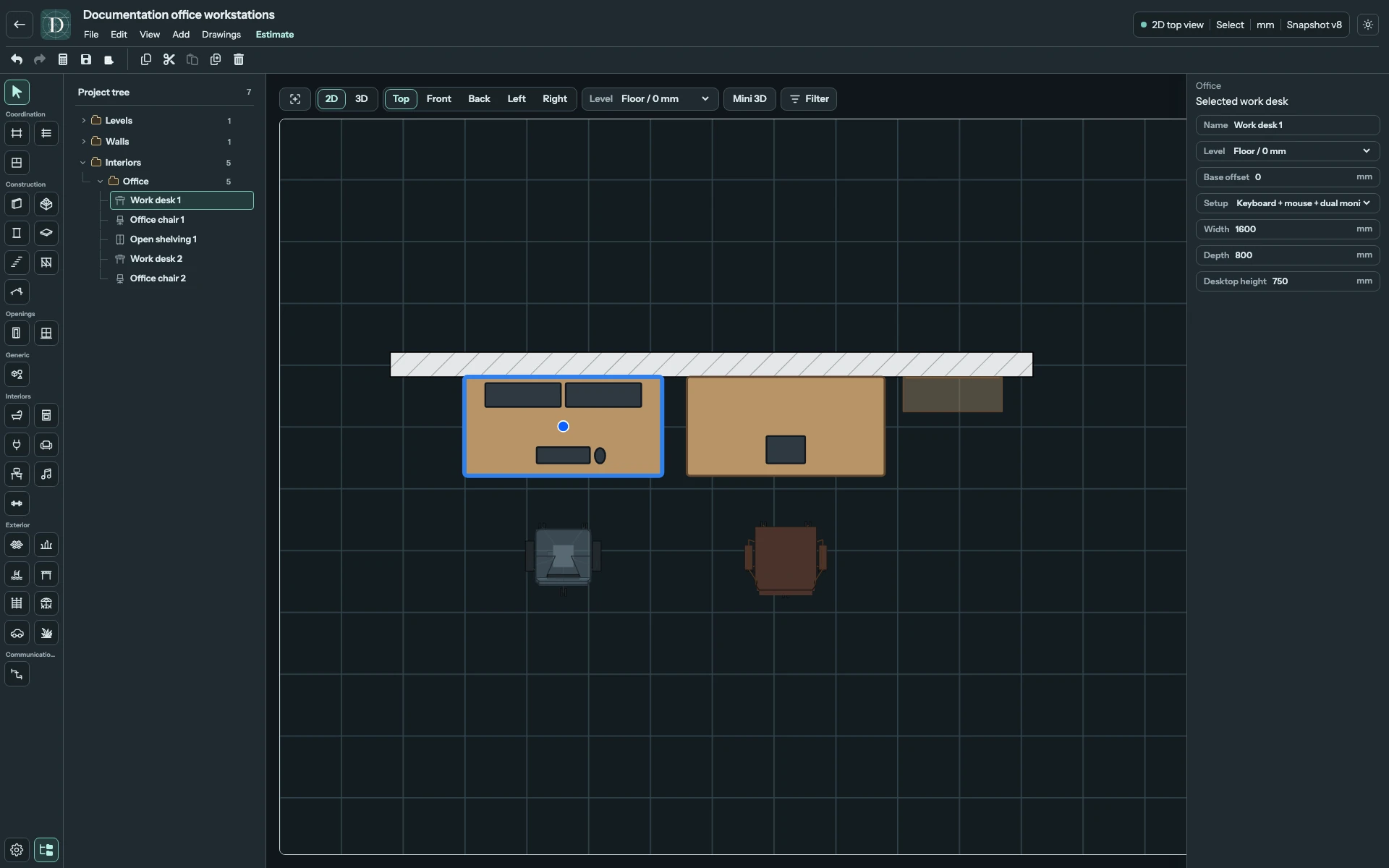
View the full-size screenshot.
Work desk: all equipment setups
| Setup | Equipment included |
|---|---|
| Empty | Desktop and supports, without equipment. |
| Laptop only | One laptop on the desktop. |
| Keyboard + mouse + monitor | Keyboard, mouse and one monitor. |
| Keyboard + mouse + dual monitor | Keyboard, mouse and two side-by-side monitors. |
| Monitor + laptop stand | Keyboard, mouse, one monitor and a laptop on a raised stand. |
Changing Setup rebuilds the desk's equipment. Clicking a monitor or keyboard selects the whole desk: equipment cannot be moved or resized as separate objects. Desktop dimensions can change while equipment keeps its representative size, so the selected arrangement must still fit on the usable desktop. A size or setup change that does not fit is rejected.
Every Work desk field
| Field | Effect and limits |
|---|---|
| Name | Instance label, up to 120 characters, shown for a selected desk. |
| Level | Elevation reference for the desk base. |
| Base offset | Signed height above or below that Level. Level elevation plus offset sets the base. |
| Setup | One of the five equipment arrangements above. |
| Width | Desktop width, 800–3200 mm, subject to equipment fit. |
| Depth | Desktop depth, 500–1400 mm, subject to equipment fit. |
| Desktop height | Top of the desktop above its base, 620–1300 mm. |
The starting desktop is 1600 × 800 mm and 750 mm high. For a compact empty desk, reduce Width and Depth after choosing Empty. For two monitors, choose Keyboard + mouse + dual monitor and retain enough width for the fixed equipment. The dimension limits are editor bounds, not ergonomic recommendations.
Office chair: both styles and all fields
Style → Ergonomic mesh uses a mesh-style seat and back; Executive leather/wood uses an upholstered seat and back with wood details. Changing Style restores its starting chair dimensions. Choose Style before entering custom values.
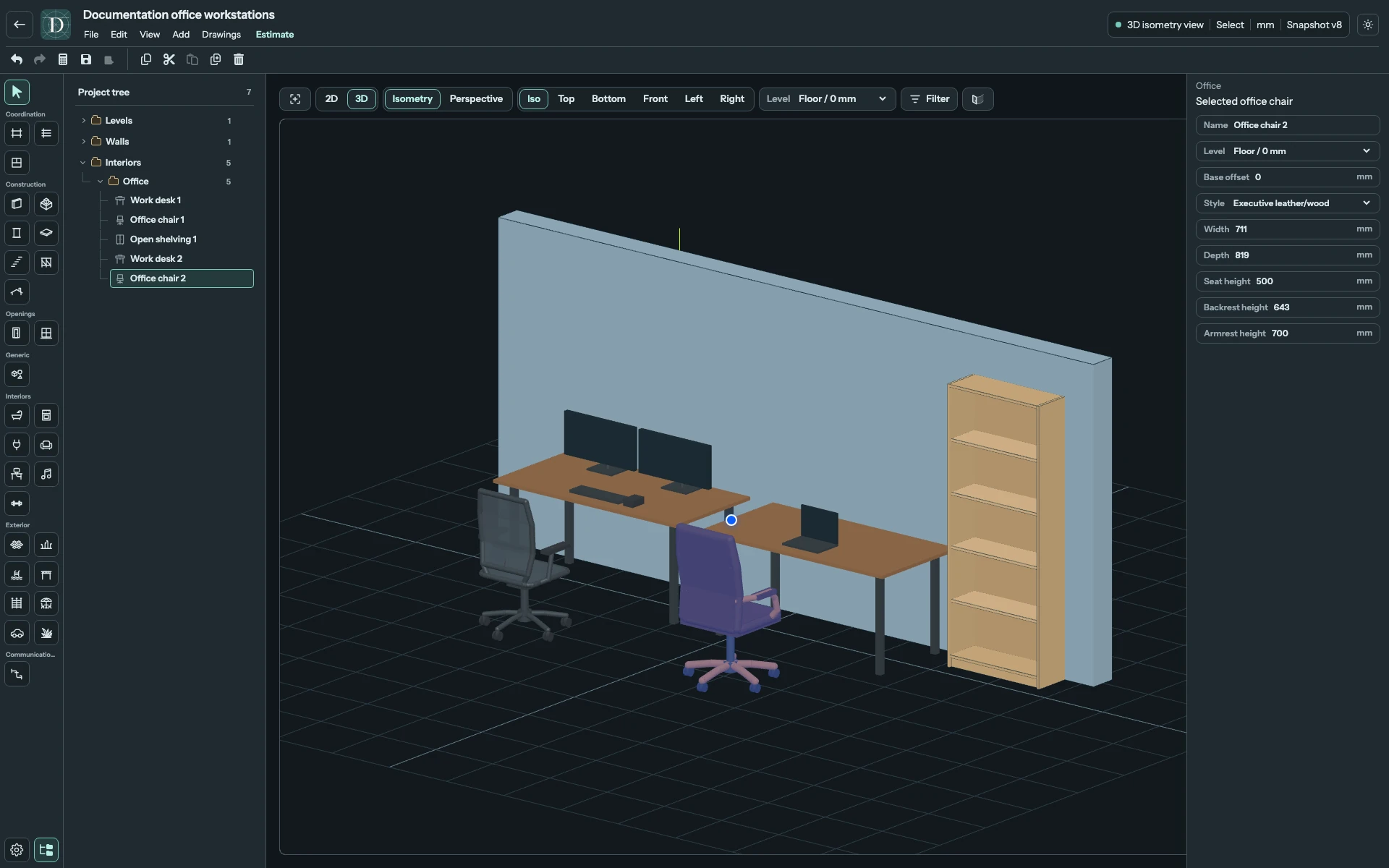
View the full-size screenshot.
| Field | Effect and limits |
|---|---|
| Name | Instance label, up to 120 characters, shown for a selected chair. |
| Level | Elevation reference for the chair base. |
| Base offset | Signed distance above or below the Level. |
| Style | Ergonomic mesh or Executive leather/wood, restoring style defaults. |
| Width | Chair width, 550–1000 mm. |
| Depth | Chair depth, 550–1000 mm. |
| Seat height | Seat height above the base, 360–650 mm. |
| Backrest height | Back height above the seat, 450–850 mm. |
| Armrest height | Height above the base. Must be above the seat and no higher than the seat plus backrest height. |
The mesh starting model is 685 × 680 mm, with a 430 mm seat, 600 mm backrest and 650 mm armrests. The executive starting model is about 711 × 819 mm, with a 500 mm seat, 643 mm backrest and 700 mm armrests. These values describe the model; they do not replace sizing for the intended user.
Open shelving
Open shelving begins an 800 × 280 × 2020 mm Wardrobe with one section and Doors off. The open shelves are generated within that object. Use Width, Depth, Height and Sections to change its storage layout; Doors adds closed fronts. Level places it vertically, and Rotation orients it in plan. This object has no desk-style Base offset. The complete Wardrobe reference explains its section limits.
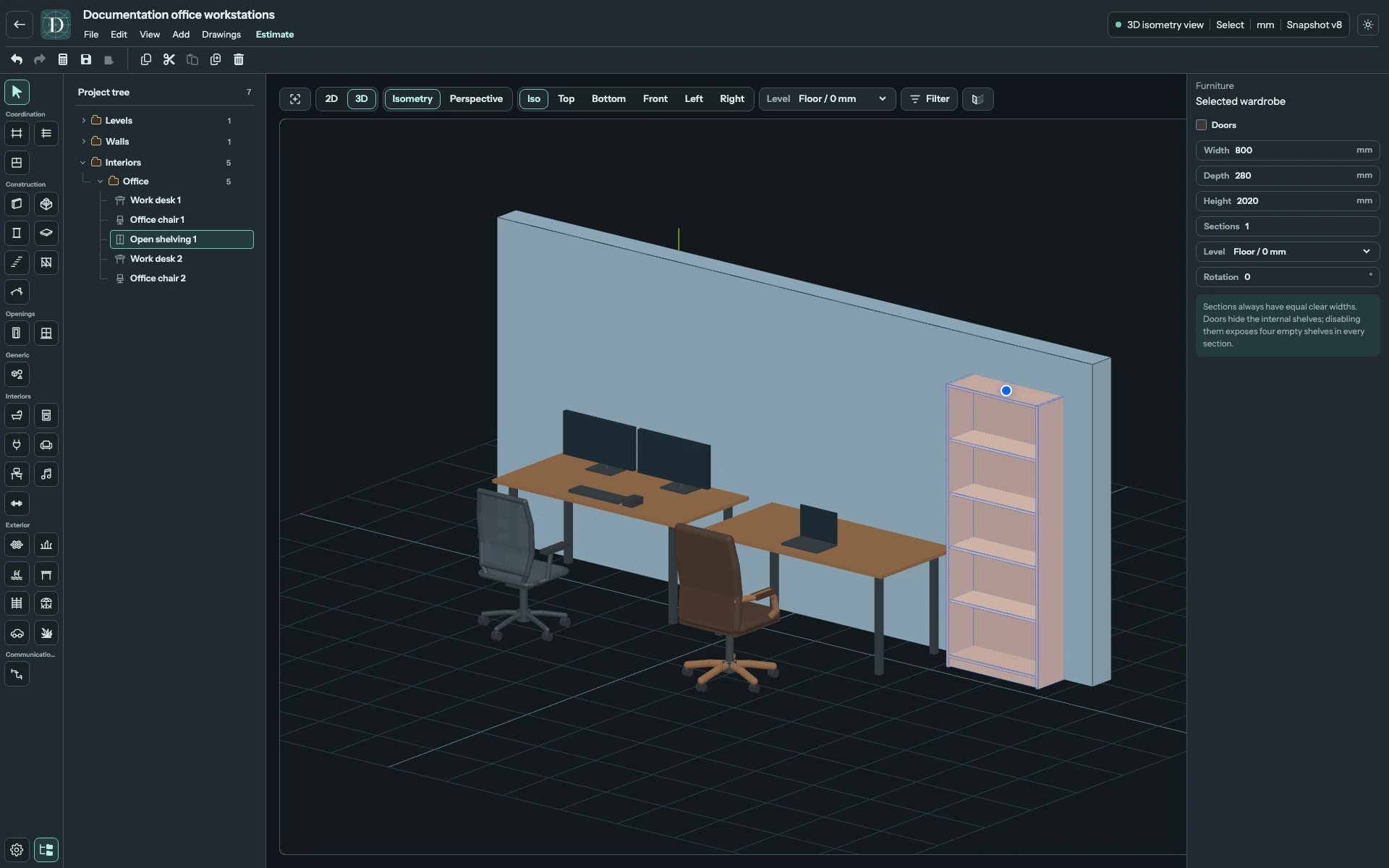
View the full-size screenshot.
Move, rotate and check
Use the object's supported movement and rotation handles to arrange desks, chairs and shelving. Desk and office chair panels do not have a Rotation field; use their rotation handle. Generated equipment stays with the desk. Changing the chair position does not move its desk.
Check the footprint in Top and the equipment, storage and seat heights in 3D. Save the project, reopen it and select the same instance to check its settings. To remove an object, select it and use Delete; Undo restores a removal. The model does not check ergonomic suitability or wire equipment to an electrical installation.