
After creating a Pipe Network, use its tree rows or visible parts to inspect the graph. A network, segment, node, fitting and port are distinct selections; choosing one exposes that part's information in the right panel.
Read lengths and connections
Choose Select and expand Pipes → Pipe network in the Project tree. Select a segment to read its section and lengths:
- Route centerline length measures between route reference points.
- Straight cut length measures the physical straight pipe between the fitting connection ports.
These values differ because fittings occupy part of the route. Neither value on its own is a complete installation quantity or fabrication instruction. Select the network to inspect its connection binding and the remaining design warning. A port row describes a connection interface, rather than another straight pipe.
Roll a fitting
- Select an editable turn fitting in the viewport or Project tree.
- Read Fixed angle in the inspector. The current elbow stays at 90°.
- Enter the required angle in Roll and confirm the field.
- Inspect the route in Top, Front and 3D. Roll changes the fitting's orientation and carries its downstream route with it, while preserving the connected segment lengths.
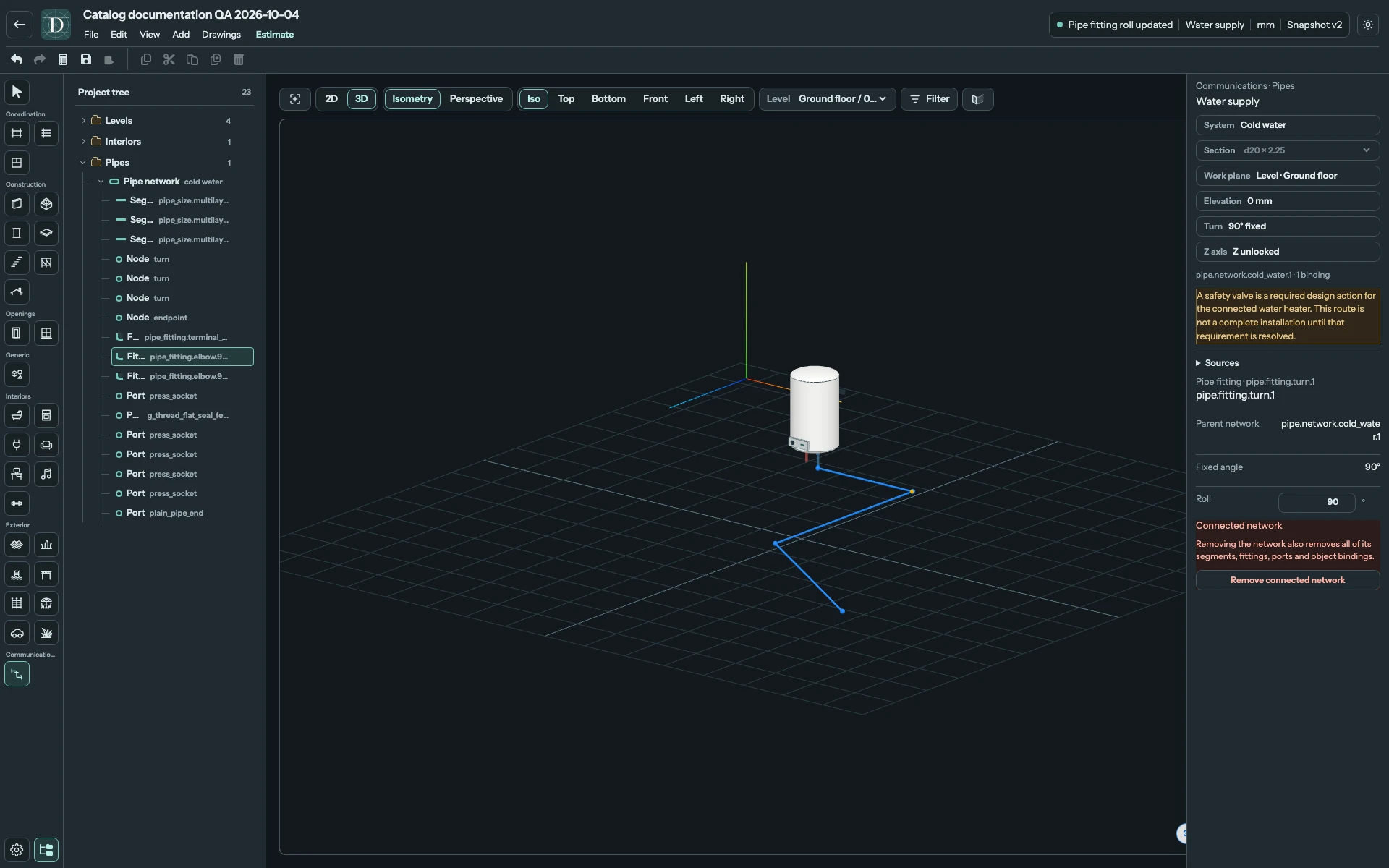
View the full-size screenshot. The 90° roll is an example, not a required orientation.
Adjust a free end
Select the unbound endpoint node. In an authoring view, drag its visible grip along the incident pipe's axis to shorten or extend the final straight run. A drag close to the axis can be projected onto it. A change that leaves the axis or exceeds the available catalog length is rejected. An internal turn cannot be dragged as if it were a free end. Use Undo to restore an accepted edit.
A Pipe Network does not use the ordinary free-object move, rotate or resize lifecycle. The connection and graph constrain its edits. The current editor blocks moving or deleting a bound heater and changing a datum consumed by the connected route.
Remove or retain the network
Use Remove connected network in the inspector when you intend to remove the complete connected graph. Confirm the removal: its segments, fittings, ports and object bindings are removed together. This action is undoable; it is different from deleting an isolated furniture object.
For a retained route, save and reopen the project, then reselect the edited fitting or endpoint and check its value and position. The safety-valve design warning remains until that requirement is resolved outside this tool's current modelling scope.