
As the project owner on Pro or Team, open File → Export 3D model… to download the entire saved model. Other project members cannot create or download these exports.
Choose a format and revision
- Select GLB, glTF ZIP or IFC in Format.
- If you have unsaved changes, choose Save and export to save them first, or Export saved version only to export the last successful Save and keep your draft. With no unsaved changes, choose Create export.
- Wait for the file to become ready, then select Download. Saved revision identifies the revision captured for this export.
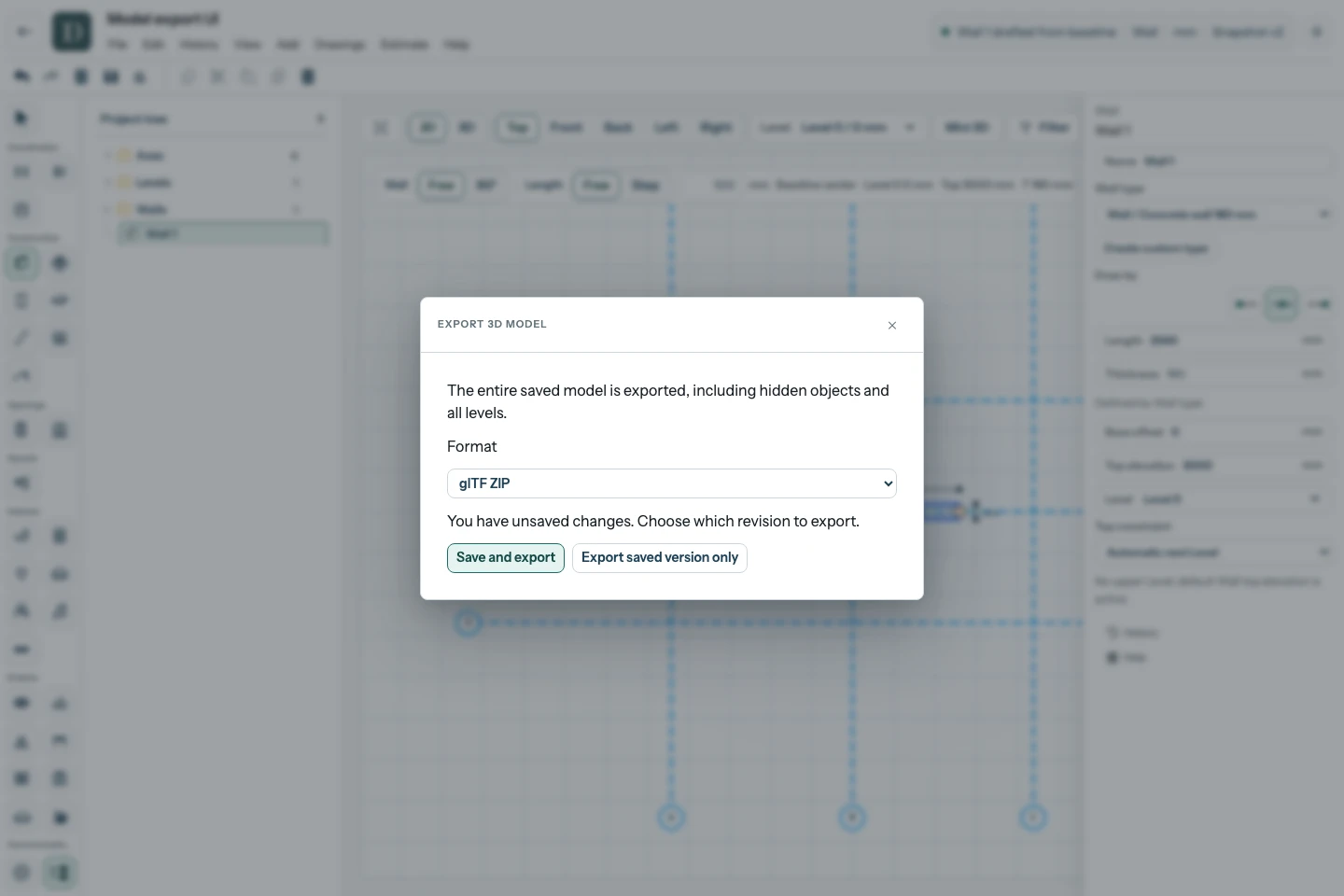
View the full-size export-dialog screenshot.
If Save fails or encounters a version conflict, this export does not start and your draft stays in the editor. Resolve the save conflict before trying Save and export again. Exporting the saved revision does not create an entry in Saved versions.
What the file contains
The export includes physical model elements across all Levels, including hidden objects. The selected Level, camera, visible layers and viewport filters do not restrict it. A later Save cannot change a file already being generated.
| Format | Contents and use |
|---|---|
| GLB | One file with meshes, colors, transparency and supported material textures. Coordinates use metres. |
| glTF ZIP | The same visual model as GLB, packaged as model.gltf with its buffers and textures. Extract the archive and keep those files together when opening model.gltf. Coordinates use metres. |
| IFC | IFC4 model with element classes, names, source identifiers, ownership, technical Levels, Axes, materials, colors and existing pipe connections. Coordinates use millimetres. Textures are provided by GLB/glTF instead. |
Logical Room boundaries do not become invented 3D volumes. IFC keeps their plan footprints. Interaction helpers, selection outlines, operating zones and underlay images are omitted. Objects created by IFC import participate as ordinary native objects.
IFC uses mesh geometry for physical elements. Roof and Stair parts remain parts of one assembly. Hosted openings keep their host and filling relationships. An opening without a Door or Window keeps its host cut without a filling mesh; IFC records the opening and void relationship without inventing an IfcDoor, IfcWindow or filling relationship. The file does not promise parametric rebuilding in another editor or engineering certification. Categories without a suitable IFC4 class use a generic element; Export details lists their source identifiers alongside omitted helpers and metadata-only records.
Resume or create another export
You can close the dialog or leave the editor while the export runs. Reopen File → Export 3D model… in this project to see its current operation. One export runs per project at a time, across all formats.
Files remain available until the date and time shown in the dialog, 24 hours after the request. After expiry, create a new export. If an export fails, no download is published. Check the saved model for unfinished or invalid geometry before trying again. Large models can exceed the export limits of 50,000 elements, 2,000,000 triangles or a 256 MiB file.
See 3D and camera navigation to inspect the model before exporting, or Drawings for drawing sheets instead of a 3D file.